Template:TOClimit To insert additional functionality in a wiki page, you can use Content droplets. Content droplets include tags that were previously accessed from Insert > Magic word in the editor toolbar. They also provide access to some templates that are preconfigured in the wiki, such as message boxes.
Adding a droplet to a page
To add a droplet to a page:
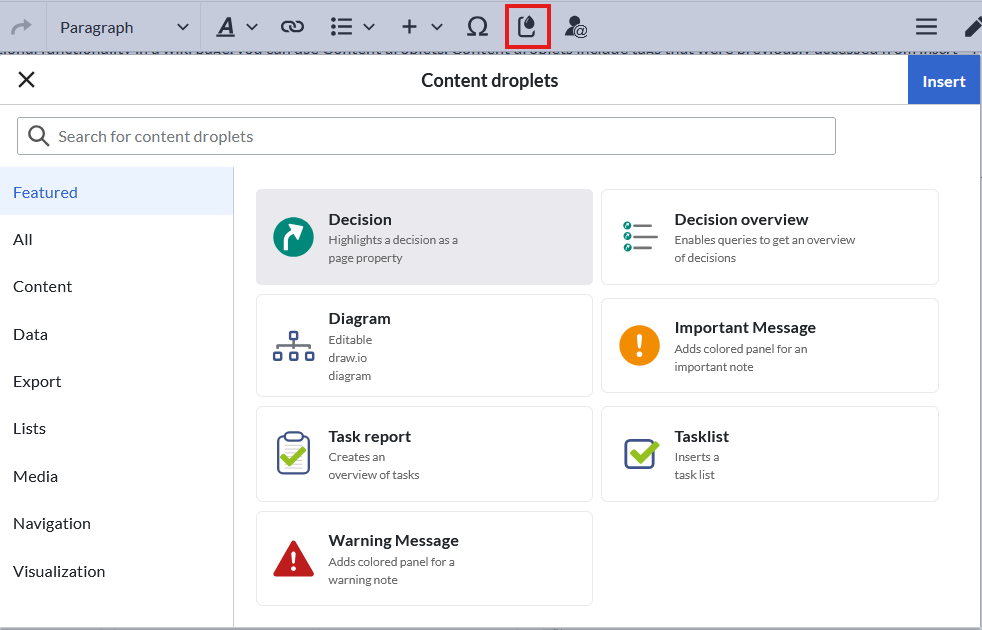
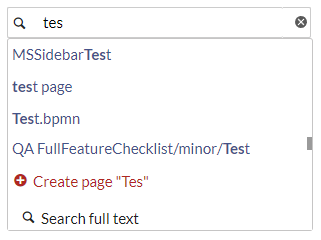
- Click the Content droplets icon in the editor toolbar or type
<<. - Search for a droplet name in the search bar of the droplets menu or browse the droplets by category.
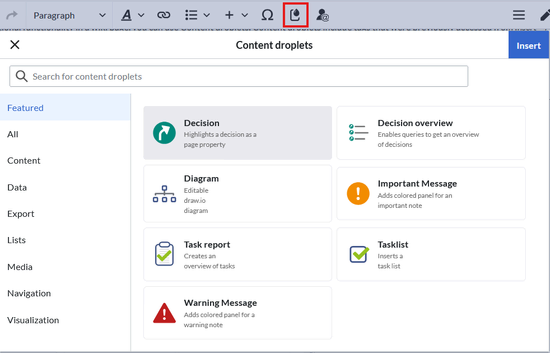
Content Droplets menu - Select a droplet
- Click Insert.

Based on the type of droplet, you can continue with configuring the droplet as needed.
List of droplets
View examples of droplets outputs.
| Droplet | Description | Inserts the following in the page source: |
|---|---|---|
| Attachments
{{#info: |
Area for organising attachments | <attachments title="Attachments area">
|
| Book PDF link v4.4+ | PDF-download link to a book | {{BookPDFLink|book=Testbook|template=BlueSpice%20Book|label=Book PDF Link}}
|
Book table of contents
{{#info: v4.4+ |
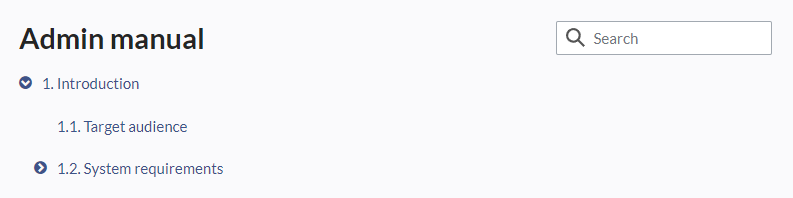
Inserts the ToC of any book in a wiki page | <booknav book="Admin_manual" chapter="1" />
|
| Booklist | List of books based on a filter value. The value needs to be defined as a metadata value in the book settings | <bs:booklist filter="Author:WikiSysop" />
|
Button
{{#info: |
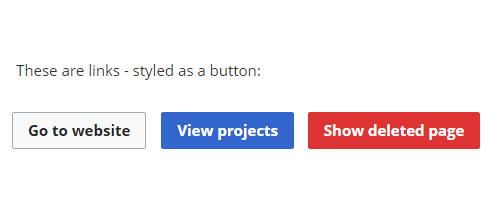
Link that is styled as a button | {{ButtonLink|target=Main Page|label=click me!|format=blue}}
|
| Categorytree | Selected categories are shown in a tree structure | <categorytree>TestCat</categorytree>
|
| Checklist | List that allows to set a value in view mode | <bs:checklist type="list" checked="true" list="Template:Status" value="Select status" />
|
| Chemical formula
{{#info: |
Display of chemical formulas | <chem>H2O</chem>
|
| Circled number | Number in a circle with customizable color | {{CircledNumber|bgColor=black|fgColor=yellow|number=180}}
|
| Code
{{#info: |
Highlighted section for code examples | <syntaxhighlight lang="css">
|
| Content Filter | Allows you to filter tables or lists. | <containerfilter />
|
| Create page | Form field for predefined page creation | {{CreateInput|alignment=left|buttonlabel=Create}}
|
| Data query | Enables queries on content in the wiki | <dataquery modified="+" format="ul" count="6" namespaces="Main" />
|
| Date v4.4+
{{#info: |
Inserts a date. This can be used in combination with the content droplet Task list | 23 November 2023
|
| Decision
{{#info: |
Highlights a decision as a page property | {{Decision|decision=Eat more veggies}}{{Decision|decision=Buy new car}}
|
| Decision overview
{{#info: v4.4+ |
Table with a list of decisions that were created by the Decision content droplet |
<decisionoverview namespaces=""></decisionoverview>
|
| Diagram
{{#info: |
Editable draw.io diagram | <drawio filename="Mydiagram">
|
| Exclude content in PDF | Content within this section is excluded from the PDF export | <pdfexcludestart />Do not export this text<pdfexcludeend />
|
| Gallery
{{#info: |
Displays an image gallery | <gallery>
|
| Icon
{{#info: |
Inserts an icon | {{Icon|bi bi-arrow-left-circle}}
|
| Important Message
{{#info: |
Adds colored panel for a important note | {{Textbox|boxtype=important|header=OMG|text=Important|icon=yes}}
|
| Links to this page | List of pages that link to this page | <whatlinkshere period="-" sort="time" showns="0" />
|
| List of users logged in | Pop-up with a list of all users that are currently logged in | <bs:whoisonlinepopup />
|
| Map
{{#info: |
Locations can be marked on the map | {{Map|Munich ~ Hello there!|Munich, Germany}}
|
Mathematical formula
{{#info: |
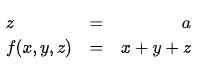
Display of mathematical formulas | <math>\tfrac{2}{4}</math>
|
| Member list | List of members of a wiki group | <bs:userlist groups="sysop" count="6" />
|
| Message
{{#info: |
Adds text panel | {{Textbox|boxtype=neutral|header=|text=SDadad|icon=no}}
|
| Modal button | Configurable button which opens a customizable modal dialogue | {{ModalDialog|title=I am a dialog|btnLabel=click me!|body=This is the text|footer=hello world}}
|
| Most visited pages | List of the most visited wiki pages | <bs:toplist count="3" period="-" />
|
| New users | List of new users in the wiki | <bs:newbies count="4" />
|
| Note
{{#info: |
Adds colored panel for a note | {{Textbox|boxtype=note|header=|text=sfsadfasfdsdaf|icon=yes}}
|
| Number of characters | Shows the number of characters or words in a wiki page | <bs:countcharacters />
|
| Number of files | Shows the number of all uploaded files | <bs:countfiles />
|
| Number of pages | Shows the number of pages | <bs:countarticles />
|
| Number of users | Shows the number of all users | <bs:countusers />
|
| Number of users logged in | Number of currently logged in users | <bs:whoisonlinecount />
|
| Page access
{{#info: |
Restricts access to the page to the specified groups | <bs:pageaccess groups="sysop" />
|
| PDF link | Link that downloads another wiki page as PDF | {{PDFLink|page=Main Page|template=BlueSpice|label=PDF Link}}
|
| PDF page break | Forces a page break at the set position during PDF export | <bs:uepagebreak />
|
| PDF preview | Embed preview of a PDF file | <pdf height="800">File:Raspberry_pi.pdf</pdf></code>
|
| Process
{{#info: |
Embeds new or existing BPMN diagrams | <bpmn process="Process name" height="300" toolbar="true" />
|
| Progress | Visualizes progress against given measurement variables | <bs:statistics:progress basecount="2" progressitem="OK" width="150" baseitem="Status:" />
|
| Pros and cons
{{#info: |
Table for comparing pros and cons | {{ProConList|title-advantages=Advantages|title-disadvantages=Disadvantages|advantages=* It is cheap|disadvantages=* It is sold out}}
|
| QR code | Inserts a QR code into a wiki page | |
| Recent changes | List of recently changed pages | <recentchanges count="6" period="-" sort="time" showns="0" />
|
Search field
{{#info: |
Adds a search field to the page content | <bs:tagsearch type="wikipage" namespace="QM" />
|
| Search in a book | Allows to search in a book. | <bs:searchinbook placeholder="Placeholder for the search text" book="Book name" />
|
| Signature
{{#info: |
A button to add signatures in view mode | <bs:signhere />
|
| Subpages | List of the subpages of a wiki page | {{Subpages|parentpage=Mypage}}
|
| Success Message
{{#info: |
Adds colored panel for a success note | {{Textbox|boxtype=success|header=Example|text=Message text|icon=yes}}
|
| Tag cloud | Tag cloud based on categories or search queries | <bs:tagcloud renderer="list" store="category" />
|
Task report
{{#info: v4.4+ |
Filterable list of existing tasks | <taskreport user="" namespaces="" status=""></taskreport>
|
Tasklist
{{#info: v4.4+ |
Adds a checklist item |
|
| Tip
{{#info: |
Adds colored panel for a tip | {{Textbox|boxtype=tip|header=Tip|text=sfsadf|icon=yes}}
|
| User profile
{{#info: |
A user profile will be included on this page | <bs:socialentityprofile username="WikiSysop" rendertype="Short" />
|
| Video | Embeds video from different external platforms (YouTube) | <embedvideo service="youtube">JILEkPu61Ao</embedvideo>
|
| Visited pages | List with visited pages | <bs:pagesvisited count="7" maxtitlelength="40" order="time" />
|
| Warning Message
{{#info: |
Adds a colored box for a warning note | {{Textbox|boxtype=warning|header=Hello|text=|icon=yes}}
|
| Watchlist | Latest changes to pages included in your watch list | <bs:watchlist count="5" maxtitlelength="20" order="time" />
|